 MINDTALK FOR MAC
Talk.
We'll type.
Dictation for the Mac that understands Swedish, and 24 other languages. Hold a key and talk, and Mindtalk types for you in any app. Everything runs on your computer.
- ≈0.3s
- from speech to text for a five‑second sentence
- 25languages
- in the multilingual model
- Offline
- once the speech model is downloaded
- Free
- no trial and no in‑app purchases
Hold. Talk. Let go.
- 01
Hold
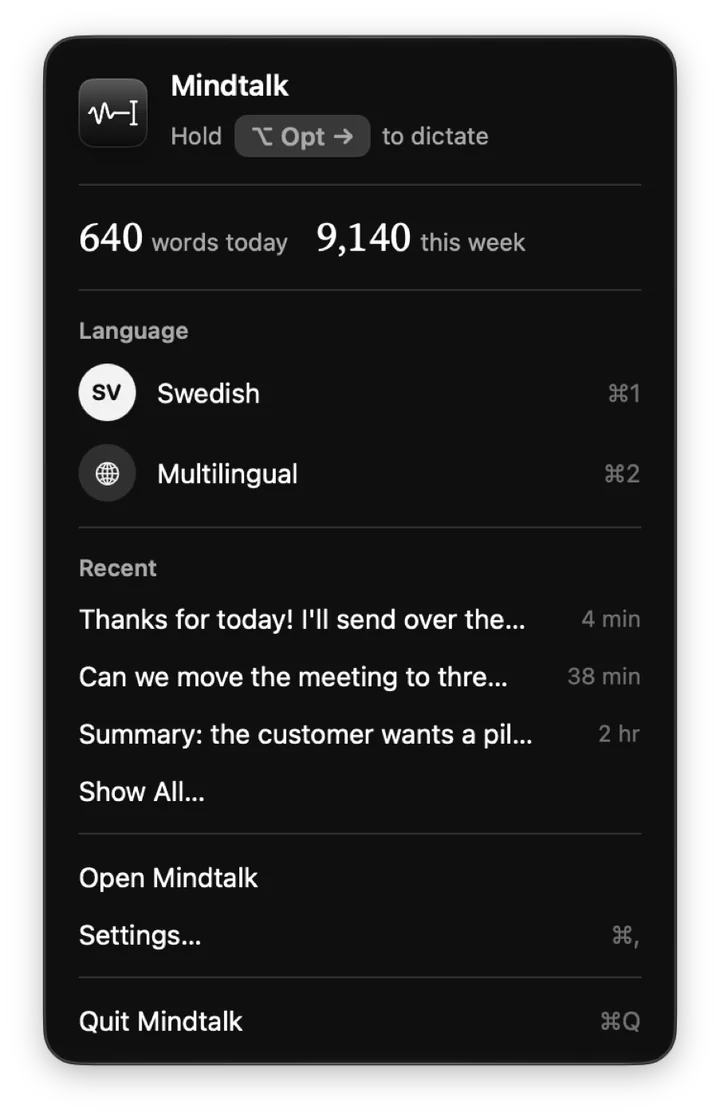
Hold the right ⌥ Option key. That's all it takes to start.
- 02
Talk
The pill at the bottom shows Mindtalk is listening. Music and video pause for as long as you talk.
- 03
Let go
The text is typed where your cursor is: in the email, in Slack, in the document or in the code.
Double-tap the key to talk without holding it. Esc cancels without typing a thing.
Swedish that
sounds Swedish.
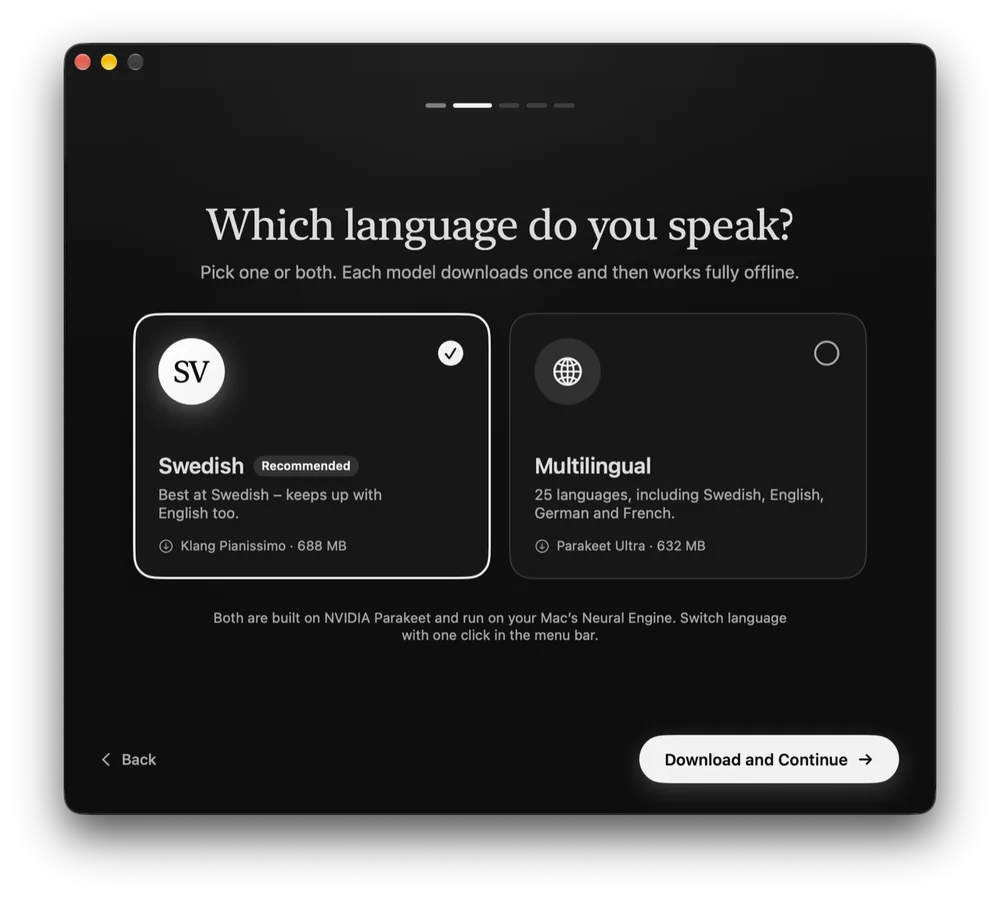
Mindtalk uses Klang Pianissimo, a speech model from Klang AI fine-tuned for Swedish. It keeps up even when you mix in English words.
For more languages there's Parakeet Ultra from Moondream, with 25 European languages. Switch with one click in the menu bar or with ⌘1 and ⌘2.
- SVSwedishKlang Pianissimo · Klang AI · 688 MB
- MultilingualParakeet Ultra · Moondream · 632 MB
You talk.
Mindtalk tidies.
What you say becomes text you can send straight away, without going back to fix it.
No filler words
Um and uh disappear. Say “new line” or “new paragraph” when you want a line break.
Polish with Apple Intelligence
Fixes punctuation and self-corrections, so “Tuesday, no I mean Wednesday” becomes “Wednesday”. The polish is optional and can only remove words, never add or rephrase.
Your own vocabulary
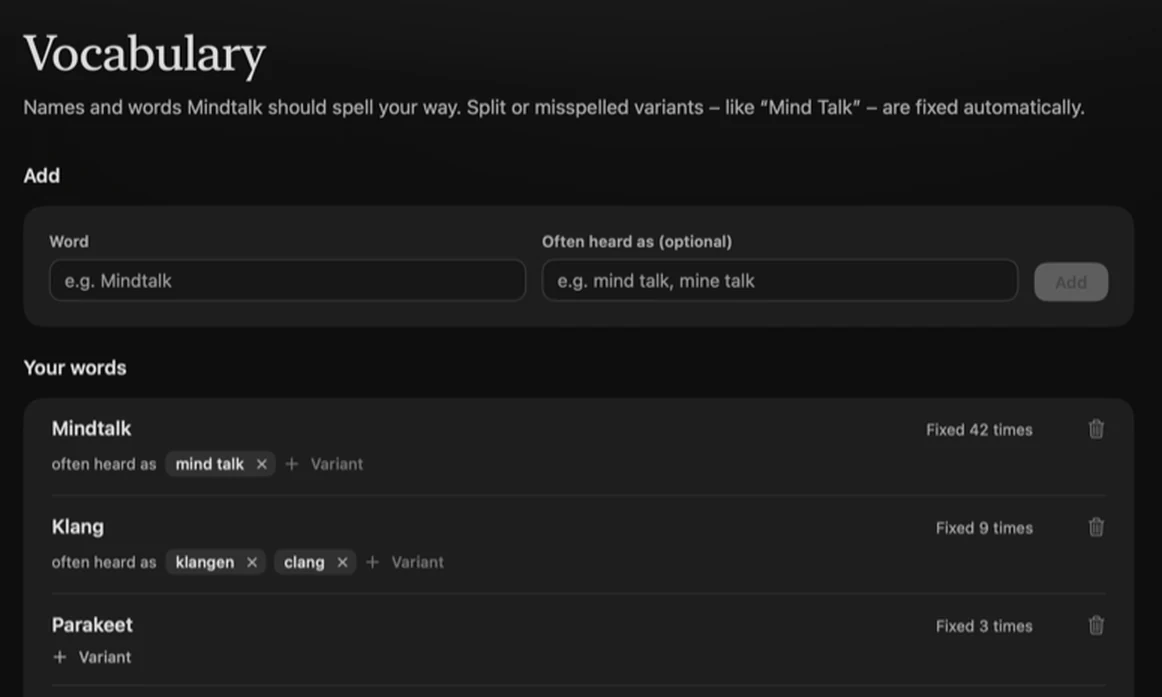
Teach Mindtalk names and terms, and they're spelled right. “Mind Talk” becomes Mindtalk every time.
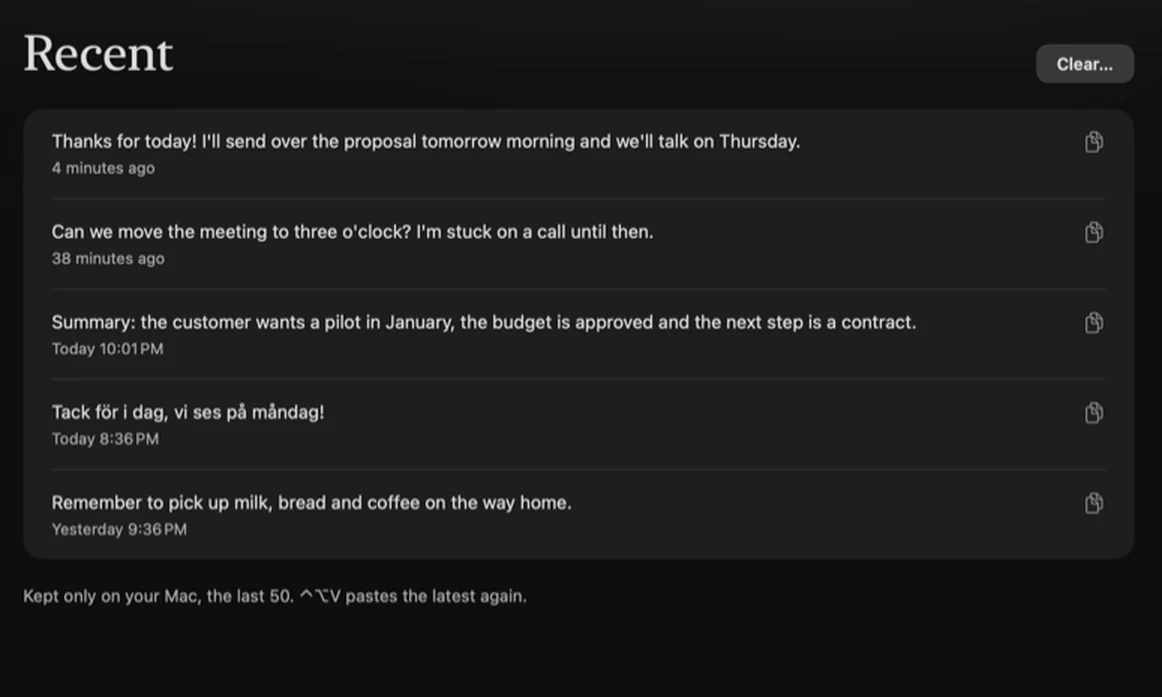
Recent dictations
The last 50 are kept on your Mac and copied with one click.
Choose a microphone
The built-in one is the default, since Bluetooth headsets sound worse with their mic on. A level meter shows you're heard.
Updates itself
Every new version is signed and notarized by Apple.
Nothing leaves
your computer.
Dictation hears everything you say. That's why Mindtalk never passes anything on.
Processed locally
Speech becomes text right on your Mac, with no server and no cloud.
Audio is never stored
It lives in memory and is erased once your text is typed.
No account
No sign-in, no analytics and no tracking.
Numbers, never text
Statistics count words and seconds. What you type into password fields isn't kept at all.
Rarely online
Mindtalk only goes online to fetch the speech model you chose and to check for updates.
Open source
All of the code is on GitHub under the MIT licence, so anyone can review it.
Open models.
Built for Apple Silicon.
Mindtalk is written in Swift and SwiftUI. The speech models run through Core ML on the Mac's Neural Engine.
- 01Key
- 02Recording in memory
- 03Speech recognition on the Neural Engine
- 04Clean-up and vocabulary
- 05Optional polish
- 06Typed at the cursor
Powered by
- Klang AIKlang PianissimoSwedish speech recognitionCC BY 4.0
- MoondreamParakeet UltraMultilingual speech recognitionCC BY 4.0
- NVIDIAParakeet TDT 0.6B v3Base modelCC BY 4.0
- FluidInferenceFluidAudioRuns the models on the Neural EngineApache 2.0
- markstrom · FluidInferenceCore ML conversionThe models in Apple's formatCC BY 4.0
- AppleFoundation ModelsThe optional polishmacOS
Can I use a different key?
Yes. The right ⌥ Option key is the default, but you can pick any key. If you'd rather press once to start and once to stop, that's a setting too.
What if the text lands in the wrong place?
Put the cursor where you want it and press ⌃⌥V to paste the latest dictation again. If there's no text field where the cursor is, the text goes to the clipboard instead.
Why does Mindtalk need permissions?
The microphone to hear you, and Accessibility to notice your key and type the text for you.
Who's behind Mindtalk?
Mindtalk is developed by Mathias Karlsson and Mindact Solutions AB in Sweden.
Talk.
We'll type.
Up and running in a minute.
- 1Download
- 2Drag Mindtalk to Applications
- 3Follow the introduction
Requires a Mac with Apple Silicon (M1 or later), macOS 26 Tahoe and about 700 MB free per speech model. The polish needs Apple Intelligence turned on.